What Is a Favicon and Why Does It Matter for Your Website?
A favicon is the small icon that represents your site in browser tabs, bookmarks, Google search results and home screens. Learn where it appears, why it affects trust and clicks, and how to create one in minutes.
 Tomáš Rohlena
10 min read
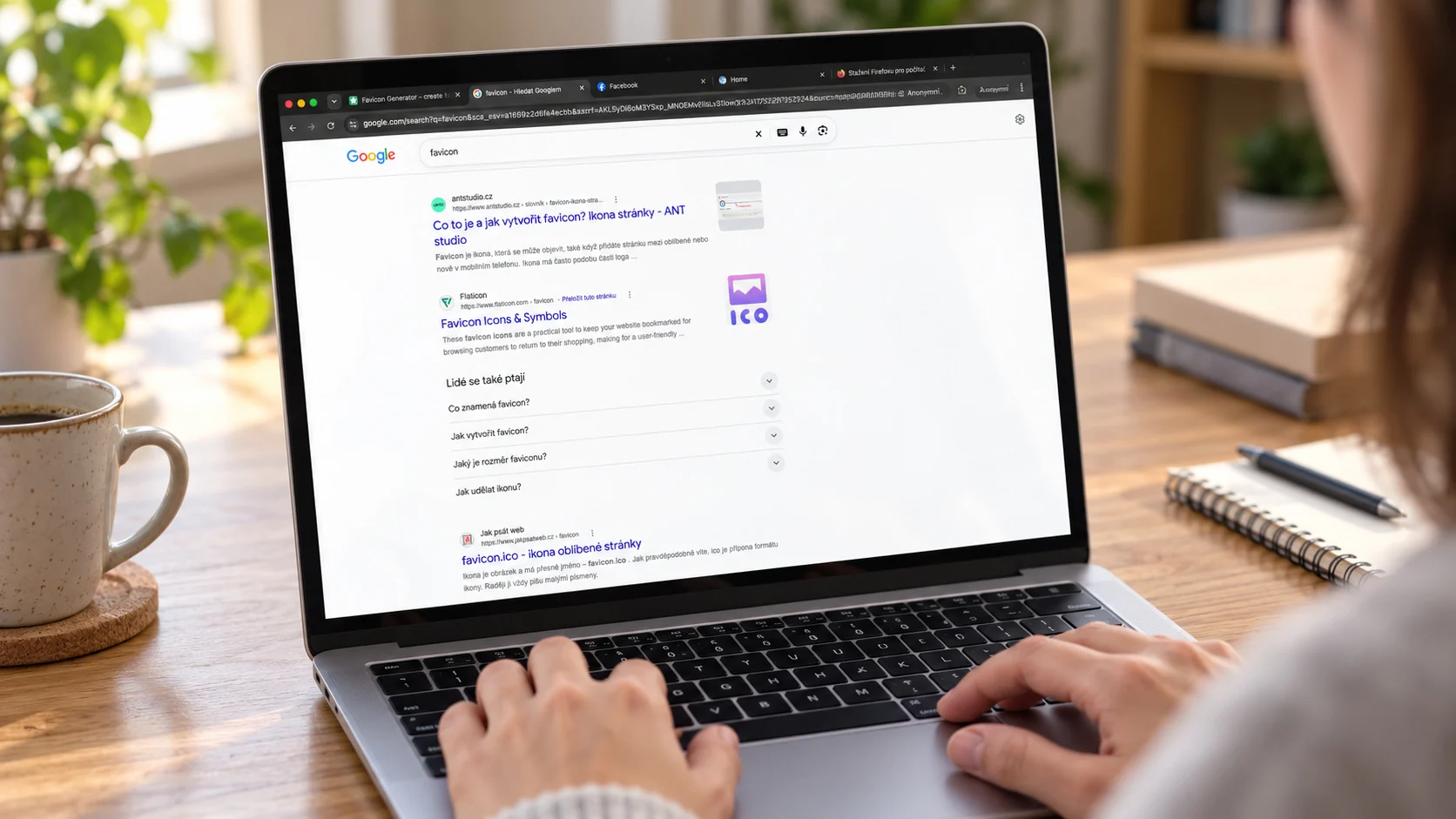
A favicon (short for "favorite icon") is the small square image that represents a website in browser tabs, bookmarks, history lists, Google search results, phone home screens and installed web apps. It matters because it gives your site a recognisable face at a glance, makes it easier to find among many open tabs, signals that the site is professional and trustworthy, and is now shown next to your site name in Google results. Without one, visitors see a generic globe or blank page icon, and your server fills its logs with 404 errors. You can create a complete favicon set for free with the MakeFav favicon generator.
What is a favicon?
A favicon is a tiny branded graphic, typically a simplified version of a logo or a single letter or symbol, that browsers and other software fetch from your website and display wherever they need a compact visual identifier. On a desktop browser it is usually drawn at 16 by 16 CSS pixels, though the file itself should be larger so it stays sharp on high-density screens.
Technically, a favicon is just an image file referenced from your HTML (or found at a default location) that user agents download separately from the page content. Today a "favicon" is rarely a single file. A modern site usually ships several versions of the same icon so that browsers, search engines, iOS and Android all get a format and size that suits them.
A short history of the favicon
The favicon dates back to March 1999, when Microsoft released Internet Explorer 5. The browser let users save pages to a "Favorites" list, and it also looked for a small icon file named favicon.ico in the root of the site to show beside each saved entry. The idea was simple: if a site provided /favicon.ico, the icon would appear next to the bookmark.
Other browsers soon adopted the feature, and tabbed browsing made it far more useful. As tabs became the main way people navigate, the favicon turned from a bookmark decoration into a core navigation aid. Over the years the approach evolved:
- Early 2000s: the
<link rel="icon">element allowed sites to point to an icon at any URL instead of only the root, and PNG and GIF files began to be accepted by non-IE browsers. - 2010s: Apple introduced the
apple-touch-iconfor iOS home screens, and Android and Windows added their own conventions such as manifest icons and tile images. - Today: SVG favicons, web app manifests, dark-mode-aware icons and Google's search-result favicon requirements have made the favicon a small but real part of a site's technical setup.
Where favicons appear today
Your favicon is shown in many more places than the browser tab. The main ones are:
- Browser tabs: the most visible spot, where the icon is often the only thing you can see when many tabs are open.
- Bookmarks and favorites: the icon sits beside the page title in bookmark bars and menus.
- History and most-visited pages: browsers show favicons in history lists and on new-tab pages.
- Google search results: on both mobile and desktop, Google displays a site's favicon next to the site name and URL.
- Home screens: when a visitor adds your site to the home screen on iOS or Android, the touch icon or manifest icon becomes the app-style shortcut.
- Installed PWAs: a progressive web app uses the icons in its web app manifest for its launcher icon, splash screen and task switcher.
- Windows tiles and pinned sites: older Windows and Edge versions used tile images defined for pinned sites; modern ones mostly reuse your standard icons.
- Link previews in some apps: certain chat and productivity tools (Slack is a well-known example) show a site's favicon beside an unfurled link. Most previews rely mainly on Open Graph images, but the favicon often supplies the small brand mark.
Why a favicon matters for your website
Brand recognition
People recognise colours and shapes faster than they read text. A consistent icon repeated in tabs, bookmarks and search results builds familiarity every time someone sees it, which is free brand exposure on every visit.
Trust and credibility
A missing favicon makes a site look unfinished. A clean, correctly rendered icon is a small signal that someone cares about details, which supports the perception that the site is legitimate. It is not a security feature, and phishing sites can copy icons, but a blank default icon rarely helps a business look established.
Click-through rate in search results
Because Google shows the favicon beside your listing, it becomes part of how your result looks next to competitors. Google does not publish a ranking effect for favicons, and you should not expect a rankings boost. The benefit is about visual recognition: users who know your icon are more likely to spot and choose your result, especially on mobile where results are compact.
Usability with many open tabs
When a browser has twenty tabs open, titles are truncated to nothing and the favicon is all that remains. A distinctive icon lets people find your tab instantly and return to it instead of opening a duplicate or forgetting about it.
Professional impression
A well-designed favicon shows the same attention to detail as the rest of your site. For product pages, documentation, blogs and web apps alike, it is one of the cheapest polish items you can add.
Accessibility of tab finding
Icons help users who scan visually rather than read, including people with dyslexia or cognitive differences, and anyone switching quickly between tasks. A high-contrast icon with a simple shape is easier to pick out. Remember, though, that a favicon is a supplement: it does not replace a clear page title, which screen readers and assistive tech rely on.
What happens if you do not have a favicon
Browsers automatically request /favicon.ico from the root of your domain, even if your HTML does not mention one. If the file does not exist, several things happen:
- Generic icon: visitors see a default globe, document or blank icon in the tab and bookmarks, which looks anonymous.
- 404 errors in your logs: every browser that asks for the file generates a failed request. On busy sites this adds noise to access logs, error monitoring and analytics, and can hide real problems.
- No icon in Google results: without a valid, crawlable favicon, Google shows its default placeholder next to your listing.
- Wasted requests: browsers may retry, adding small but pointless load to your server.
Even a very simple icon is better than none, because it removes the 404s and gives users something recognisable.
Favicon formats explained
No single format covers every platform, so most sites use a small set of files.
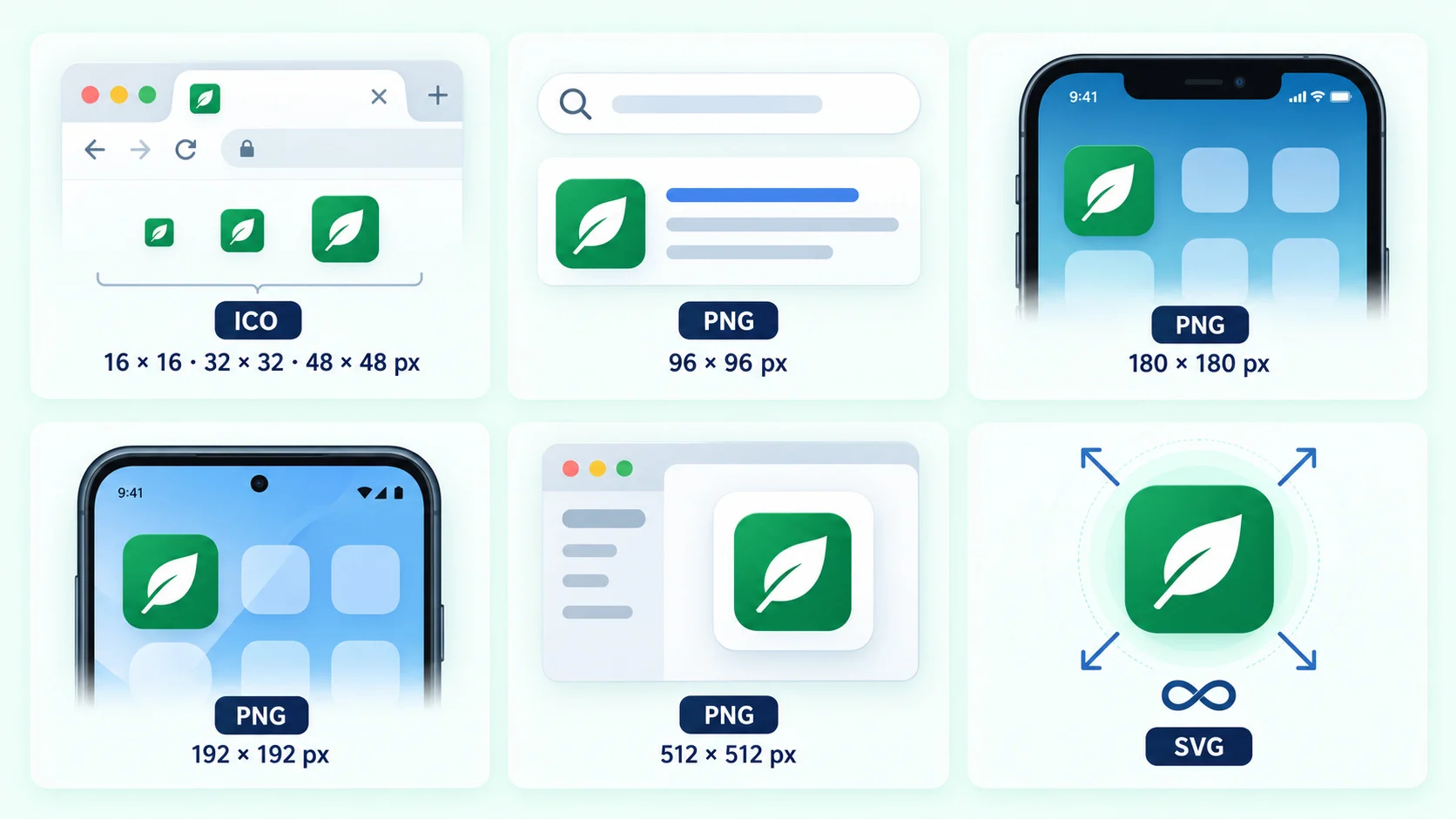
| Format / file | Typical size | Used for | Notes |
|---|---|---|---|
ICO (favicon.ico) |
16, 32, 48 px in one file | Legacy browsers, default root request, Google | Can contain several sizes; widest compatibility |
| PNG | 32, 96, 192 px and more | Modern browsers, Google results | Supports transparency; easy to produce |
| SVG | Scalable | Modern desktop browsers | Sharp at any size; can adapt to dark mode with CSS; keep an ICO or PNG fallback |
| Apple touch icon | 180 x 180 px | iOS and iPadOS home screens | Use an opaque background; iOS adds rounded corners |
| Manifest icons | 192 x 192 and 512 x 512 px | Android, PWA install, splash screens | Listed in site.webmanifest; add a maskable version for adaptive shapes |
Legacy Windows tile images (configured through browserconfig.xml) were needed for Internet Explorer 11 and the old Edge. They are rarely necessary now unless you have to support those environments.
Google's favicon guidelines for search results
If you want your icon to appear in Google Search, follow Google's published requirements:
- Size: the image must be square (1:1) and a multiple of 48 pixels, such as 48x48, 96x96 or 144x144. Google then downsizes it to 16x16 for display. The minimum supported size is 8x8, but 48x48 or larger is recommended.
- Formats: any format supported by browsers works, including ICO, PNG and SVG.
- Stable URL: do not change the favicon URL frequently. A stable address helps Google keep your icon up to date.
- Crawlable: both the favicon file and your home page must be accessible to Googlebot. Do not block them in
robots.txtor behind a login. - One declaration per site: the icon is tied to the site's home page, so put the
<link>tag in the head of your home page. - Representative and appropriate: the icon should reflect your brand, and Google may replace one that is offensive or misleading with its default.
After you publish or change a favicon, Google can take days to weeks to recrawl and update it, so do not expect an instant change.
How to create a favicon quickly with MakeFav
You do not need design software or a command line. The MakeFav generator turns one source image into the files described above.
- Prepare your artwork. Use a square logo or symbol at 512 x 512 px or larger. Simple shapes work best because the icon will be seen at 16 px.
- Upload it on the MakeFav home page, or open the editor to adjust the image, background and padding before exporting.
- Preview the result at small sizes and on light and dark backgrounds to be sure it stays legible.
- Download the package. It contains the ICO, PNG sizes, Apple touch icon, manifest icons and the HTML snippet to paste.
- Upload the files to the root of your website so they are reachable at paths such as
/favicon.ico. - Add the HTML to the
<head>of every page, or your shared layout or template. - Verify with the favicon checker, then clear your browser cache and reload to see the new icon.
Example HTML snippet
<link rel="icon" href="/favicon.ico" sizes="48x48">
<link rel="icon" href="/icon.svg" type="image/svg+xml">
<link rel="icon" href="/favicon-96x96.png" type="image/png" sizes="96x96">
<link rel="apple-touch-icon" href="/apple-touch-icon.png">
<link rel="manifest" href="/site.webmanifest">
The sizes="48x48" attribute on the ICO link helps browsers prefer the SVG when they support it while keeping the ICO as a fallback. The 96 px PNG satisfies Google's multiple-of-48 rule.
Example web app manifest
{
  "name": "Example Site",
  "short_name": "Example",
  "icons": [
    { "src": "/web-app-manifest-192x192.png", "sizes": "192x192", "type": "image/png", "purpose": "maskable" },
    { "src": "/web-app-manifest-512x512.png", "sizes": "512x512", "type": "image/png", "purpose": "maskable" }
  ],
  "theme_color": "#ffffff",
  "background_color": "#ffffff",
  "display": "standalone"
}
If you work with build pipelines or want to automate icon creation, see the developer resources.
Design tips for a favicon that works
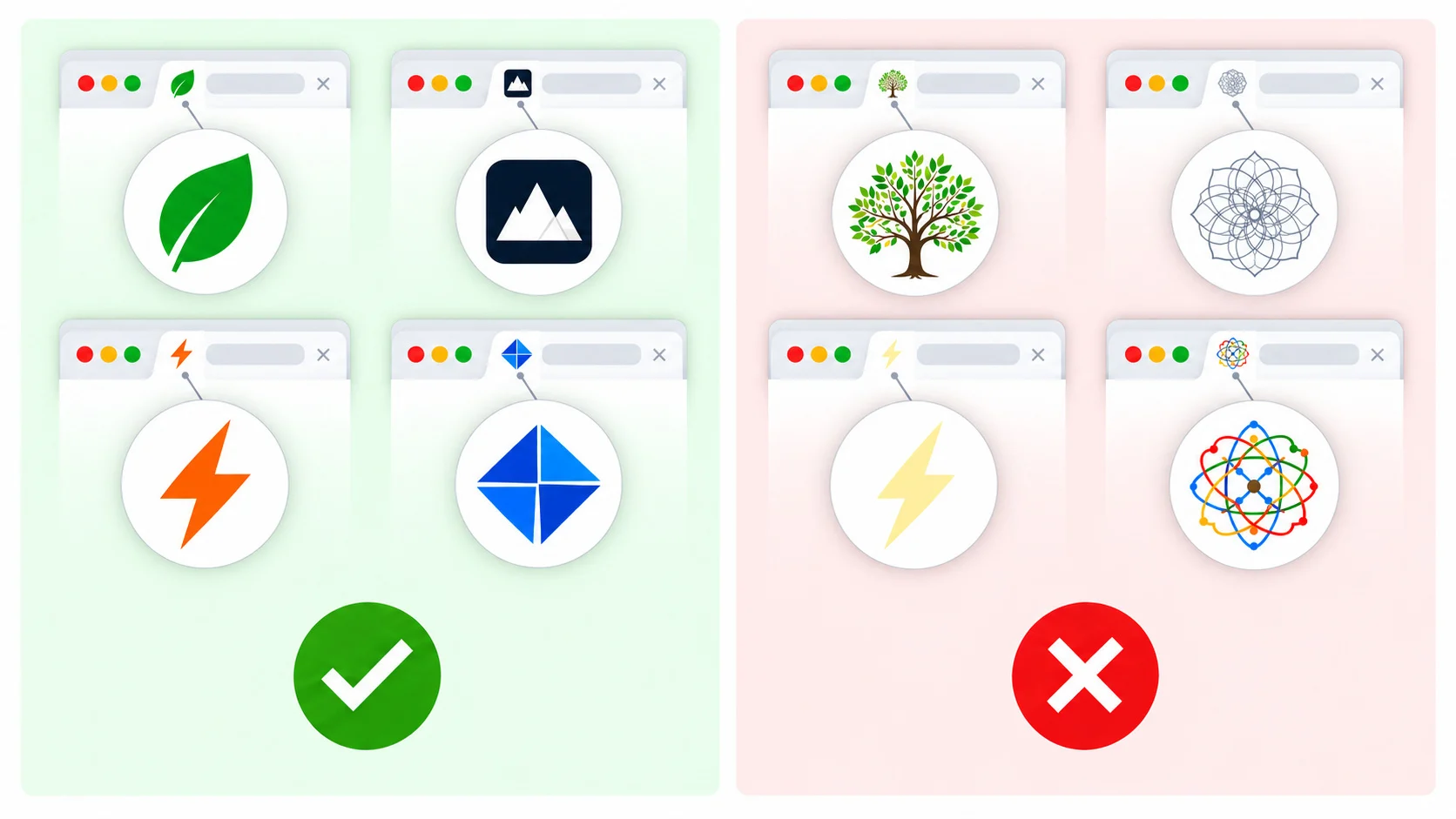
- Keep it simple. One shape, one letter or a bold monogram beats a detailed logo that turns into mush at 16 px.
- Use strong contrast. Make sure the icon is visible on both light and dark browser themes. A coloured background tile helps.
- Avoid text. A single initial is fine; words are unreadable at this size.
- Leave a little padding for maskable and rounded-corner icons so nothing important is cropped.
- Stay consistent with your logo and brand colours so the favicon reinforces recognition.
- Test on real devices and check how it looks in a tab, a bookmark and a Google result.
Common favicon problems
If your icon does not show up, the usual causes are caching, wrong paths and blocked files. Browsers cache favicons aggressively, so a hard refresh or a new private window is often enough to see updates. Check that the file URL returns a 200 status and the correct content type, and that the <link> tag is in the <head>. For search, make sure robots.txt does not block the icon or the home page. The MakeFav checker can help you spot these issues quickly.
Frequently asked questions
What does favicon stand for?
Favicon is short for "favorite icon". The name comes from Internet Explorer 5, which in 1999 first used a small icon file to decorate entries in the browser's Favorites list. The term stuck even though the icon now appears in many other places.
Does a favicon help SEO?
A favicon is not a direct ranking factor. It does, however, appear next to your site name in Google results on mobile and desktop, so it can improve brand recognition and the visual appeal of your listing, which may indirectly support clicks. Following Google's guidelines is what makes the icon eligible to show.
What size should a favicon be?
For Google Search, use a square image that is a multiple of 48 pixels, such as 48x48 or 96x96. For broader coverage, also provide an ICO file, a 180x180 Apple touch icon and 192x192 and 512x512 manifest icons. An SVG is a good addition for scalability.
Do I still need favicon.ico if I use PNG or SVG?
It is still a good idea. Browsers and some tools request /favicon.ico by default, and older software relies on it. Keeping an ICO file at the site root prevents 404 errors and gives you a safe fallback when SVG or PNG is not supported.
Why is my favicon not updating?
Browsers and search engines cache favicons for a long time. Try a hard refresh, a private window or clearing the cache. Make sure the file path is correct and the new file is served. In Google Search, a changed icon can take days or weeks to be recrawled and updated.
Related articles
Create your favicon in seconds
Free favicon generator with ICO, Apple, Android and PWA icons.
Open the generator